
Coloring · early learning
Switching Shoes Coloring Book
Five pages of the book, free to color.
The game runs right here in the page — portrait or landscape, whichever way you are holding the phone. Nothing to download, and no account needed.
- Players
- One player · no account, no sign-in
- Plays on
- Desktop, laptop, Chromebook, tablet and phone · mouse or touch
- Quick controls
- Tap or click to fill · drag to brush
About Switching Shoes Coloring Book
This is a taste of the printed Switching Shoes coloring book, turned into something a child can use on a screen. Five of Daniel Noriega's pages are here in full, free, with nothing to sign up for. The book itself is 22 pages, and it is in the store — this is the sample you hand someone before they buy it, not a replacement for it.
The five free pages are spread across the story rather than taken off the front of it — the stage, the window, the cookie jar, the table, the fair. That is on purpose: it shows what the book is like without telling it. A child who colors these and wants the rest is exactly who the printed book is for.
The words of the story are on the pages, exactly where Daniel Noriega drew them, and they are drawn the way the rest of the book is drawn: outlined letters with hollow middles. That makes them colorable. A child can fill in a sentence letter by letter, which is a slower and much closer kind of reading than skimming a caption — you cannot color a word without looking hard at its shape.
Nothing here is collected and nothing is advertised at anybody. No account, no timer, no score, no tracking. Work is saved in the browser on the device you are using, so a page a child started stays where they left it. The only thing the game asks of anyone is at the end of the free pages, where it says the rest of the book is in the store.
Screenshots
What Switching Shoes Coloring Book looks like
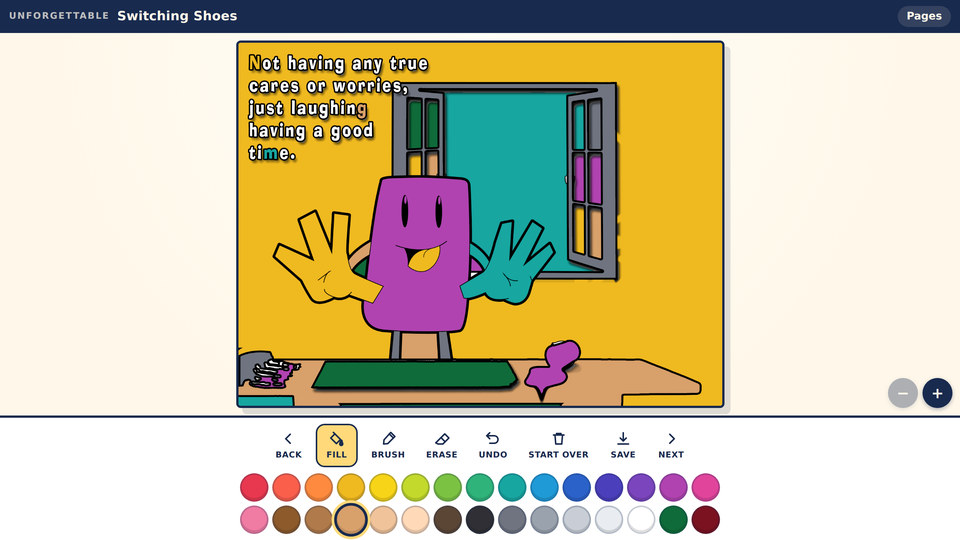
Page 5, colored in. Fill snaps to the black lines — including the hollow letters of the story, which color one at a time.
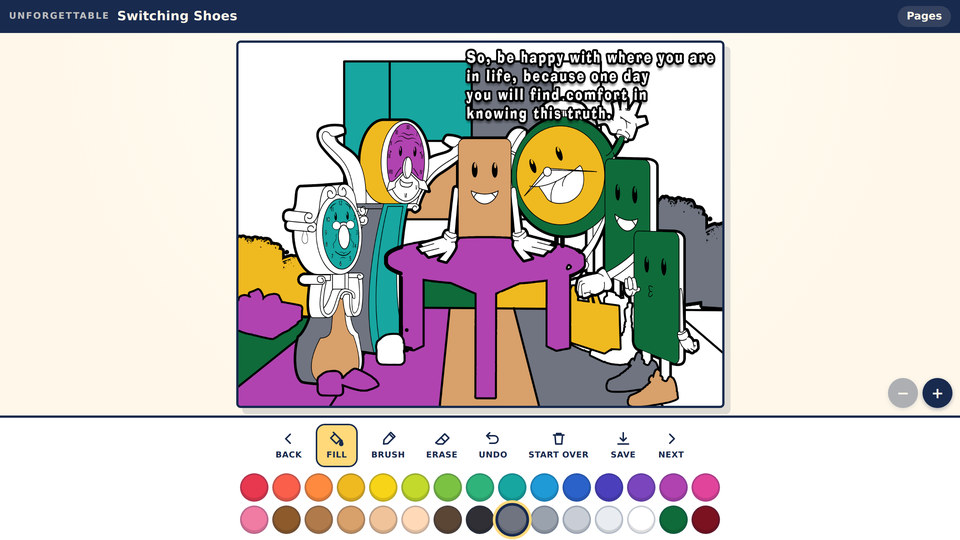
Page 14, one of the five. Thirty colors, and the line art stays sharp however roughly you color.
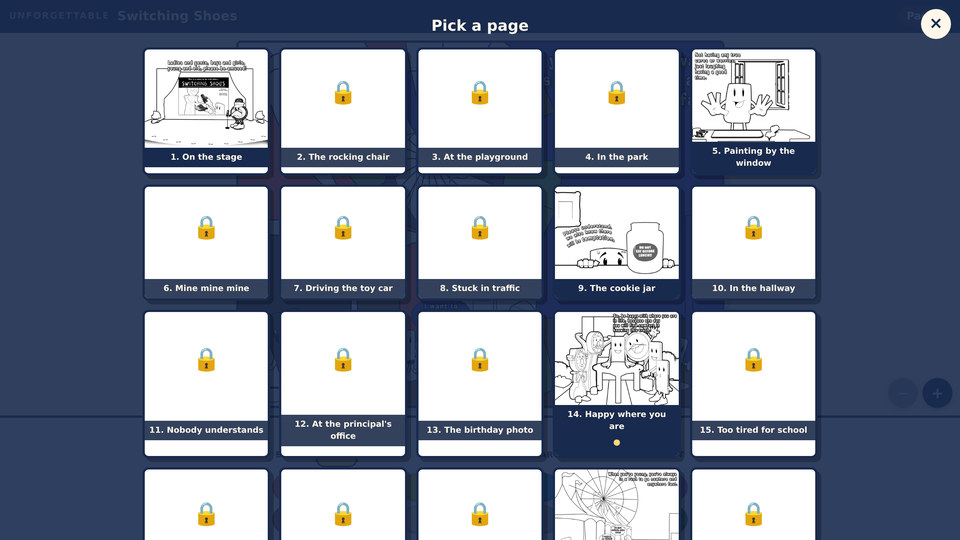
Pages shows the whole book — the five free pages, and the seventeen in the printed edition behind a padlock.
Guide
How to play Switching Shoes Coloring Book
- 01
1. Pick a color, then tap a shape
The thirty colors sit under the toolbar. Choose one, then tap or click anywhere inside a shape and it fills to the black lines — the line art holds the paint in, the way the edge of a shape holds a crayon in on paper. Filling is the fastest way to get a page looking finished, and it is the tool most children reach for first.
- 02
2. Use the brush for the bits that are not closed
Some parts of an illustration are open shapes — hair, grass, a bit of sky that runs off the edge of the page. Fill will spill out of those, so switch to Brush and drag instead. The brush paints under the black lines rather than over them, so the drawing stays sharp no matter how roughly you color.
- 03
3. Undo, erase, or start the page again
Undo steps back through the last two dozen actions, which is enough to recover from a fill that went somewhere unexpected. Erase takes paint off without touching the line art. Start Over clears the page back to blank line art, and only that page — everything else you have colored stays as it is.
- 04
4. Color the words too
The story's sentences are part of the artwork on most pages, and every letter is hollow. Tap inside one and it fills like anything else. Coloring a word a letter at a time is worth encouraging with a child who is learning to read — it slows them down on the shapes in a way that reading past a caption never does.
- 05
5. Move between the free pages
Back and Next walk through the five free pages in story order. Pages opens the whole book as a grid — the five you can color, and the seventeen that are in the printed book, marked with a padlock so you can see what is in it. Every page already colored carries a dot.
- 06
6. Save the picture
Save downloads the finished page as an image file you can keep, print or send to a grandparent. The page itself is also kept in the browser automatically, so closing the tab does not lose anything.
Full controls
| Action | Keyboard | Touch |
|---|---|---|
| Fill a shape | Click inside the shape with Fill selected | Tap inside the shape |
| Brush | Click and drag with Brush selected | Drag a finger across the page |
| Erase | Select Erase, then click and drag | Select Erase, then drag |
| Undo | Click Undo — up to 24 steps | Tap Undo |
| Zoom in and out | The + and − buttons beside the page | Pinch, or double-tap to zoom in on a detail |
| Change page | Back and Next, or Pages for the grid | Tap Back, Next, or Pages |
| Save the picture | Click Save | Tap Save |
Scoring and progression
There is no score, and that is deliberate
No points, no stars, no timer and no streak to keep up. Nothing in the game asks a child to hurry or rewards them for finishing. The only thing it tracks is which pages have been colored, and that exists so they can find their place again — not so they can be graded.
Your work is saved on your own device
Each page is stored in the browser on the device you colored it on. Come back to the same browser and the page is as you left it. Nothing is uploaded, nothing is tied to an account, and clearing your browser data clears the pictures too — so save anything you want to keep.
The printed book still exists
Five pages are free here. The other seventeen are in the printed book, which is a PDF in the store — every page of the story as line art, printable as many times as you like, which is what a classroom set or a long car journey actually needs. The free pages are the sample; the book is the book.
Tips for getting further
- Fill the big background areas first and the small details last — the same order that works with crayons on paper.
- If a fill floods the whole page, the shape was not closed. Undo, switch to Brush, and color that part by dragging instead.
- Double-tap or pinch to zoom before coloring faces and hands. The small shapes are much easier to hit at twice the size.
- The letters of the story fill one at a time. A word in six colors is a good way to get a new reader to look properly at its shape.
- Save a page as soon as it is finished. Clearing the browser's data clears the saved pages with it.
- The five free pages are spread through the story rather than taken off the front, so they give a fair picture of the whole book.